A Meeting Notes App That Stays Out of Your Way
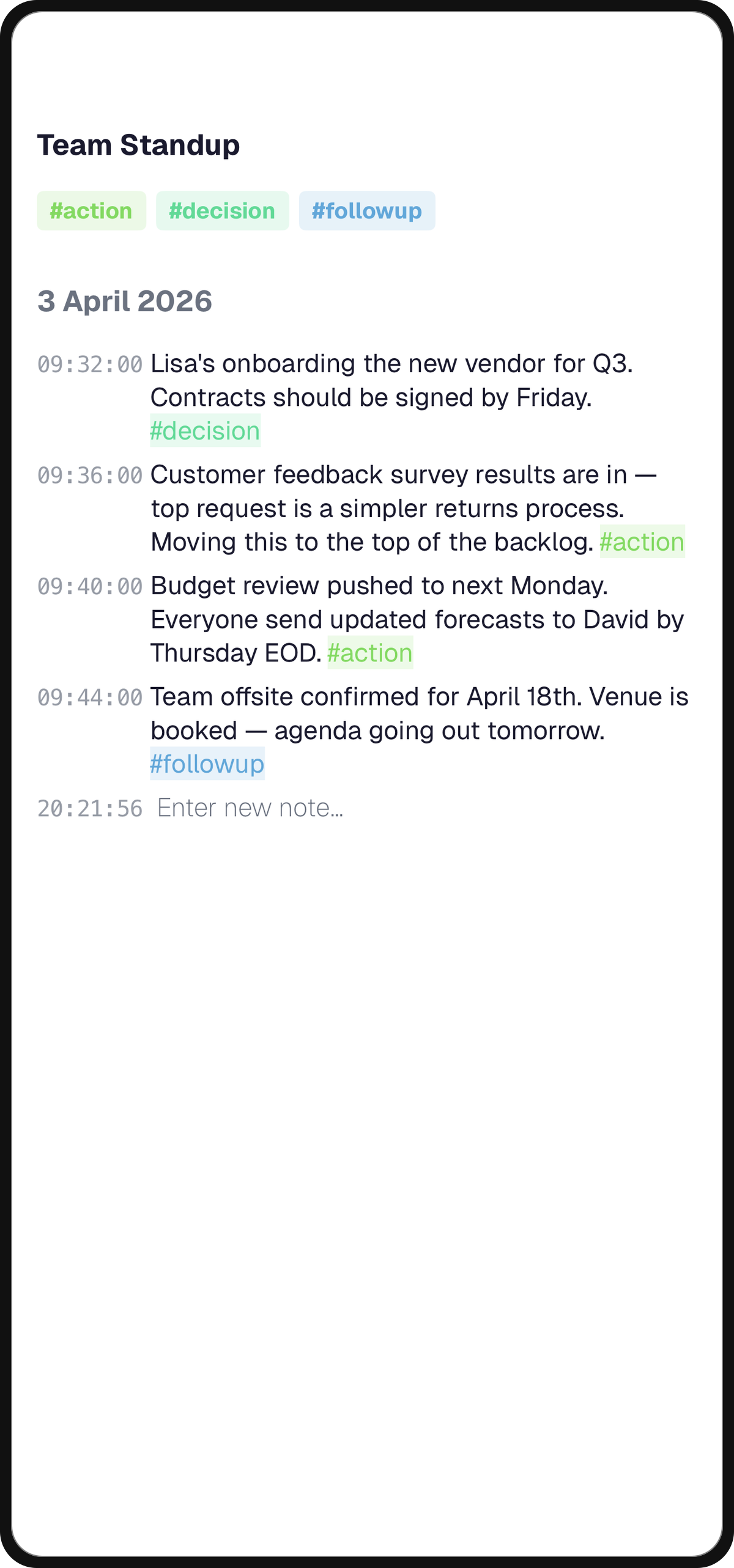
The failure mode of most meeting-note systems isn't capture — it's retrieval. You take careful notes in real time, tuck them into a folder named after the meeting series, and then never open them again.
Three weeks later you're on a call with the same person and can't remember what you agreed to.
Capture Decisions, Not Every Word
Verbatim transcripts are a trap. The longer your notes, the less likely you — or anyone else — will re-read them.

Write as if You'll Paste It Into a Slack Recap
The useful content of a 45-minute meeting usually fits in 6–10 bullet points:
- What was decided
- What's blocking a decision
- Who owns the next step
- Any number someone quoted that you should double-check later
If a line wouldn't earn its place in a summary, it doesn't belong in the note either.
Tag the Attendees, Not the Topic
Tag every meeting note with the people in the room and the project it's about. Two tags, no taxonomy debates.
When you go back weeks later looking for "what did Anna say about the pricing tiers," you want to filter by #anna and scroll — not reconstruct a search query.
Link the Meeting to the Work It's About
A meeting note in isolation is just a monologue in the third person. The value is in the connection to the ongoing work.
Link the Moment the Meeting Ends, Not Later
If your notes app lets you link a meeting to the project note it affects, do it right away. Thirty seconds of linking is what turns meeting notes from archival dead weight into a live record.
The Project Note Is the Real Home
Next time you open the project note, its meeting history is right there. You see "we talked about this with legal on the 12th" instead of dimly remembering that a conversation happened.
Read Last Week's Notes Before This Week's Meetings
The highest-leverage use of meeting notes is preparation for the next meeting.
Ten Minutes Before the Sync
Open the note from the previous session. Re-read the action items. Note which ones you actually did.
That's your opening sentence when the call starts.
It Quietly Fixes Recurring-Meeting Drift
This one habit eliminates the most common recurring-meeting failure: the same item gets re-discussed because nobody remembers agreeing on it last time.
Tip
The notes don't need to remind you to re-read them. The calendar invite does. You just need the notes to be one tap away when you get there.
Related Articles
Append-and-Review: A Better Way to Use a Notes App
Most notes apps reward creating more notes. A better approach: append to existing notes during the week, then run a short review pass to promote what matters.
The Simplest Daily Journal App: One Note Per Day
Why a single note per day — timestamped, append-only, and reviewed weekly — is the lowest-friction journaling setup that actually sticks.
How to Keep a Trading Journal in a Notes App
A placeholder description while the real article is in progress.